Keep the format. Change the guest.
Save your people, segments and supporting media. Use Save As for the next episode, update what’s changed, and rehearse before you go live.

FOR PODCAST HOSTS & PROFESSIONAL STUDIOS
Keep guests, clips and the next segment ready. Let the people doing the talking have your attention.
Give your established podcast a repeatable production workflow around OBS. Keep the format, welcome the next guest and run the recording or live show with a prepared rundown and shared controls. Early Access requires an Apple silicon Mac, M1 or newer, running your recording or broadcast production.
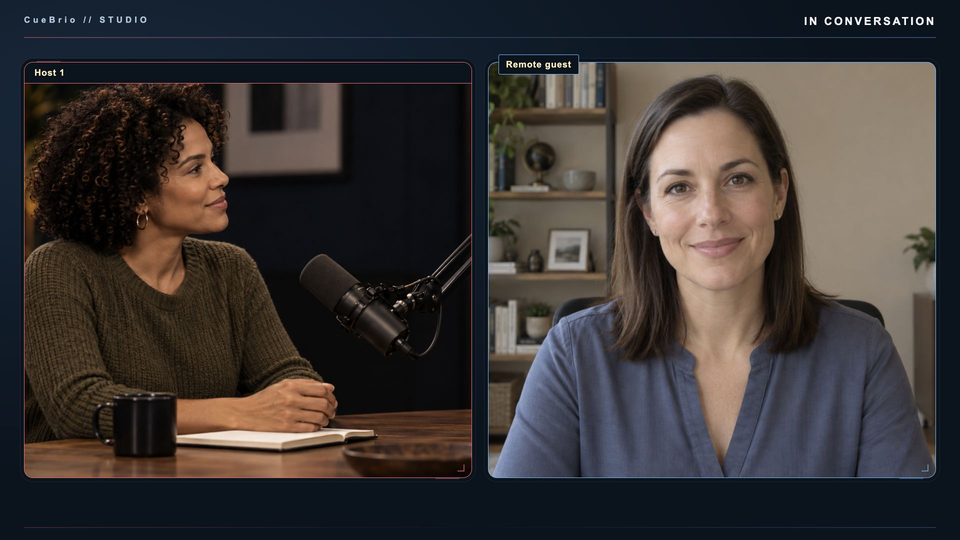
Save your people, segments and supporting media. Use Save As for the next episode, update what’s changed, and rehearse before you go live.
Cue a clip or topic while the current picture stays live. Take it when the conversation gets there, then return to the show. Your rundown helps you stay ready when the interview takes a turn.
Adjust Auto Switch response and shot-hold timing, choose a default camera, and enable host priority when it suits the format. A director can still cut manually. Separate usable audio inputs and camera mapping need preparation.
Give a trusted producer authorized CO-DIRECTOR access to supported controls. Keep guest names, camera choices and media in the same workflow while the host stays with the conversation. Local control remains available.
Guided setup helps assign cameras and microphones, check picture and sound, and enable password-protected tablet access with a link or QR code. Save your progress and resume setup later.
Reach configured Host Mix and individual guest source levels, mute and a quick return to 0 dB from the shared Sound controls. Music ducking helps keep the conversation up front in a prepared setup. Independent headphone mixes are not included.
Prepare segments, people and media before you stream or record. Reuse the structure for your next show.
Stage a topic or media while the current picture stays live.
Take prepared content when you are ready. Direct camera and layout controls still switch immediately.
YOUR QUESTIONS. ON CUE.
A few practical answers before you put another mic on the table.
Yes. Save the show with its people, segments and supporting media, then use Save As for the next episode. Update guest information, clips and device assignments, and check the cameras, audio and outputs before recording or going live.
Auto Switch follows the current speaker in a configured studio. You can adjust response time and minimum shot hold, choose a default camera for pauses or overlapping voices, and enable host priority. Host priority and manual intervention can cut sooner. Each person needs a usable, separately identifiable audio input; a combined microphone mix cannot identify individual speakers.
Cue stages prepared content while the current picture stays live; Take puts it on air when you are ready. Direct camera and layout controls still change the live picture immediately. Rehearse which controls prepare content and which take it live with everyone operating the show.
An authorized CO-DIRECTOR can operate supported scenes, media, graphics and rundown actions through CueBrio. Remote guest connections, return audio and producer monitoring need their own setup. Remote control alone does not supply a live program-video monitor, and adding a guest does not automatically create a separate recording.
Experienced studios producing recurring interviews, panel shows or client podcasts can reuse a prepared format and share production controls with a small crew. Keep your guest details, media and rundown together, then check the episode-specific setup. Bring a real workflow to Early Access so we can review its fit; this is not a promise to replace every tool or recording requirement.
Yes. Use your configured OBS recording output for the finished multicamera show. Early Access requires an Apple silicon Mac, M1 or newer. Check camera inputs, audio and recording storage before the session; separate camera files require a separately configured workflow.
Bring your format, your production Mac and the part of running the session you’d love to simplify. We’re inviting experienced podcast hosts and studios to test real workflows and help shape the next chapter. Places are limited and applications are reviewed.