The close-up is part of the plan.
Prepare product camera angles, graphics and supporting clips before the countdown. Keep your talking points in the rundown and switch to the detail when you are ready to show it.

FOR LIVE CREATORS & PRODUCT REVIEWERS
Your next camera, clip or talking point shouldn’t pull you out of the conversation.
Run live streams, product reviews and talking-head shows with cameras, guests and media together around OBS. Use your Mac, Touch or prepared Keys controls, or bring a trusted producer along. Early Access requires an Apple silicon Mac, M1 or newer, running your recording or broadcast production.
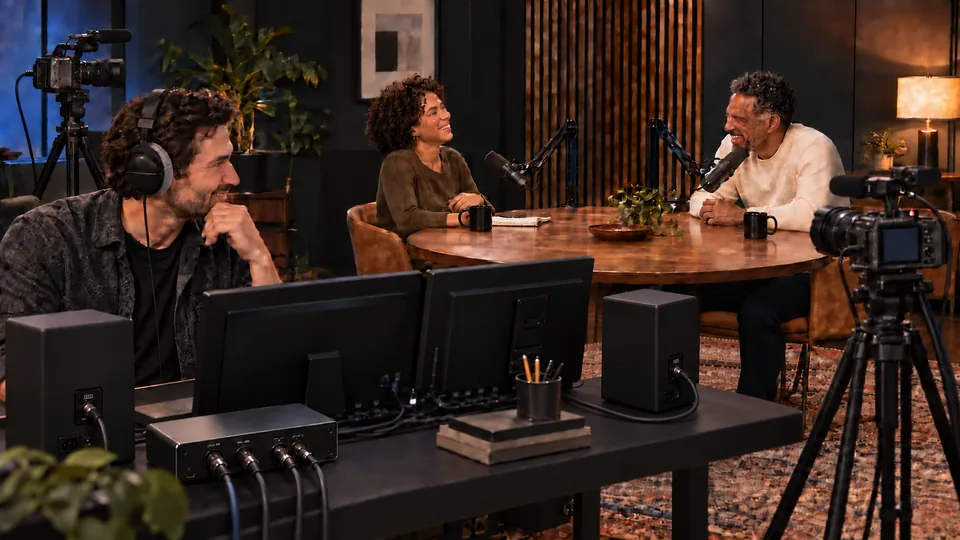
Prepare product camera angles, graphics and supporting clips before the countdown. Keep your talking points in the rundown and switch to the detail when you are ready to show it.
Use Touch or prepared Companion and Stream Deck actions for supported camera, layout and media controls. Familiar labels give you less to hunt for mid-stream.
An authorized CO-DIRECTOR can operate supported scenes, clips and graphics through CueBrio without a general remote-desktop session. You retain local control and can disconnect remote sessions.
Live Q&A today. A recorded review tomorrow. Reuse your show structure and update the content, with OBS handling your configured stream or recording output. Check capture and storage settings before each session.
Guided setup helps assign cameras and microphones, check picture and sound, and enable password-protected tablet access with a link or QR code. Save your progress and resume setup later.
Adjust the configured Host Mix or an individual guest source, mute when needed, and return a level to 0 dB with Unity. Sound controls and ducking stay close; Media keeps its transport controls. These are shared source/program levels, not separate headphone mixes.
Prepare segments, people and media before you stream or record. Reuse the structure for your next show.
Stage a topic or media while the current picture stays live.
Take prepared content when you are ready. Direct camera and layout controls still switch immediately.
YOUR QUESTIONS. ON CUE.
The controls, the crew and the computer doing the work.
Director, Touch and prepared Keys put supported show controls in reach from a browser, tablet or physical buttons. Keep your attention on the review or conversation while you choose cameras, clips and graphics. OBS still runs the production, and technical setup or troubleshooting may require its interface.
Yes, when you explicitly enable and configure remote access. An authorized CO-DIRECTOR can operate supported scenes, media, graphics and configured chat actions through CueBrio. Being a moderator on a streaming platform does not automatically grant CueBrio access. You can revoke sessions or disable remote access while retaining local control.
Yes. Prepare product camera angles, supported layouts, graphics and clips, then use the shared show controls as you present. Cue stages prepared content; Take puts it in the program. Direct camera and layout controls switch immediately. The same prepared format can serve a live stream or a recorded episode.
Early Access requires an Apple silicon Mac, M1 or newer, running your recording or broadcast production. Intel Macs and Windows production hosts are outside this program. Tell us your Mac model, macOS version, cameras, audio interface and planned workload so we can review the setup before onboarding.
No. Director provides the production workspace in a browser, and Touch provides tablet-oriented controls. Keys adds prepared Companion and Stream Deck actions for supported hardware. Keys is a software integration; controller hardware is not supplied by CueBrio.
No. You can run a configured multicamera recording in OBS without a live audience. Prepare the show, check the inputs and recording destination, then record your finished program. Separate camera recordings need their own setup and storage; they are not automatically created when you add a camera.
Bring a recent stream, review or recorded episode, your Mac setup and the production task that keeps stealing your attention. We’re inviting experienced creators to test real workflows and tell us what works. Places are limited and applications are reviewed.